Mix Command BETA

Tour · Church

A Sunday that runs itself.

Plan on Tuesday. Hand out phones on Sunday. Press GO.
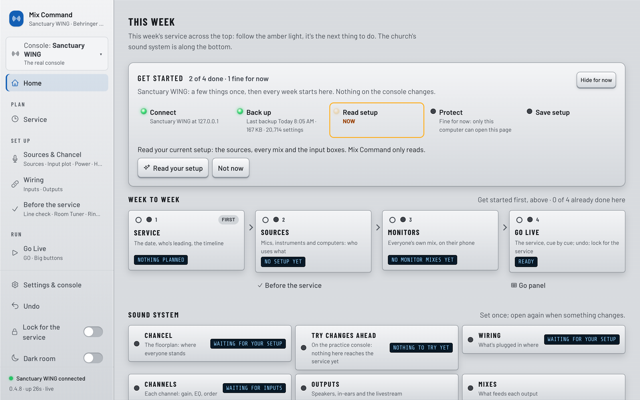
  1. Mix Command's Home page on first launch: Connect and Back up are done with green lights, and Read setup glows amber as the next step.Full size

    Finds your WING

    Then backs it up first.
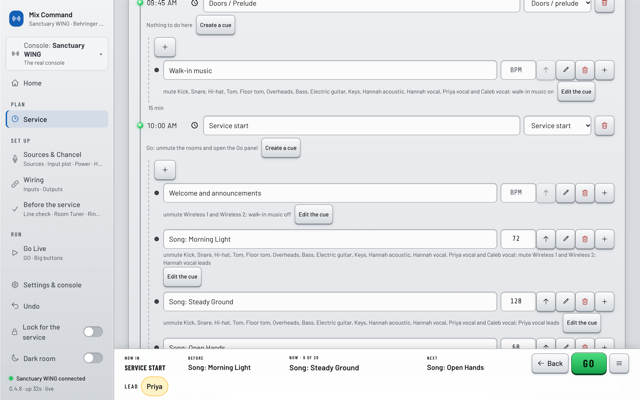
  2. The Service page for Sunday Worship: the 10:00 AM service start, welcome and announcements, and three songs with their tempo and who leads each one.Full size

    Plan Sunday in minutes

    Start from last week.
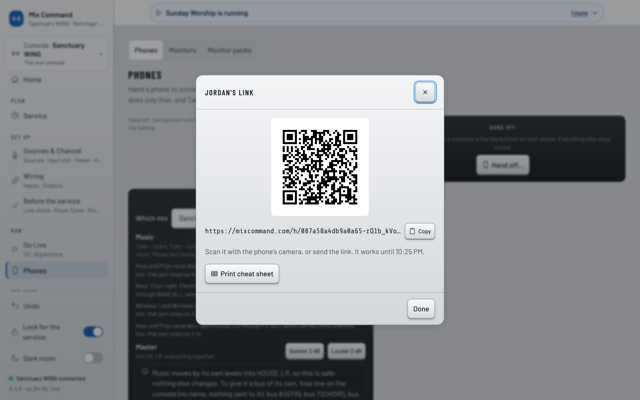
  3. A dialog titled Jordan's link with a large QR code, the link to copy, a note that it works until 10:30 PM, and a Print cheat sheet button.Full size

    One QR per volunteer

    Nothing to install.
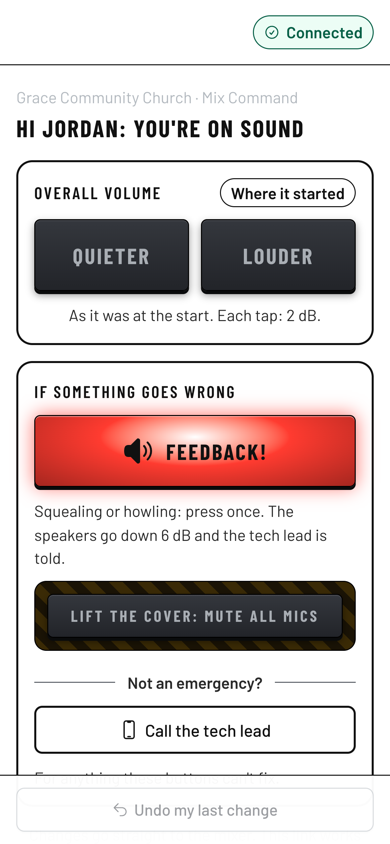
  4. A phone showing Jordan's page, Hi Jordan: you're on sound, with Quieter and Louder buttons, a red Feedback button, a covered Mute all mics button and Call the tech lead.Full size

    Volunteers see only their job

    Louder, quieter, Feedback.
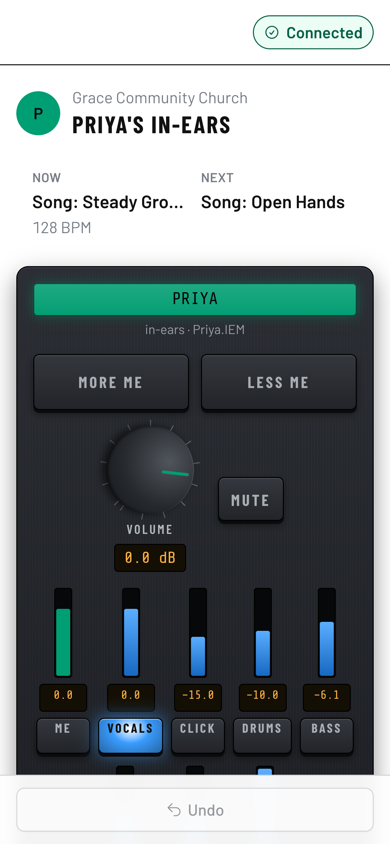
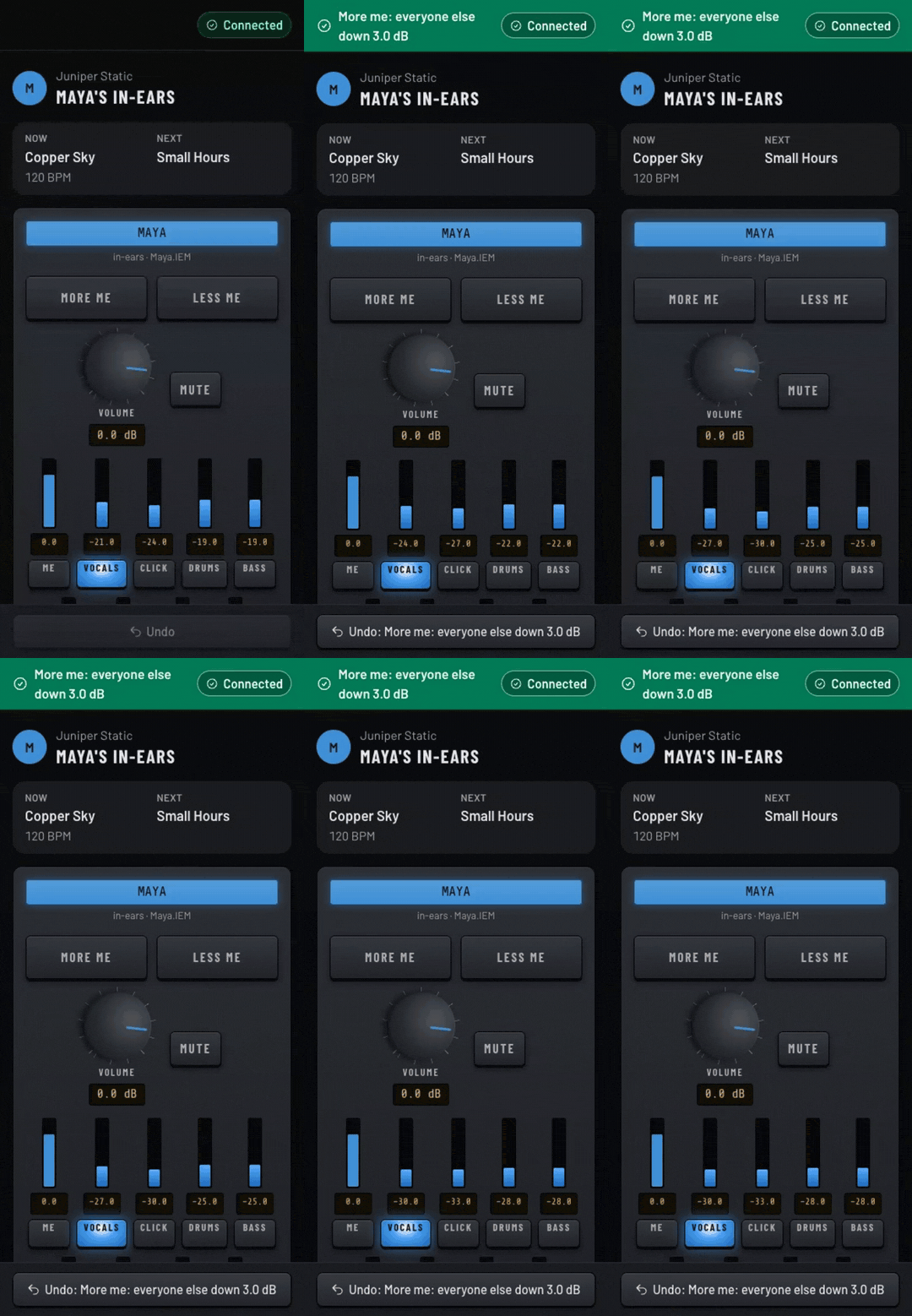
  5. A phone showing Priya's in-ears: the current and next song, More me and Less me buttons, a volume knob, and sliders for me, vocals, click, drums and bass.Full size

    More me for the worship team

    Only their mix moves.
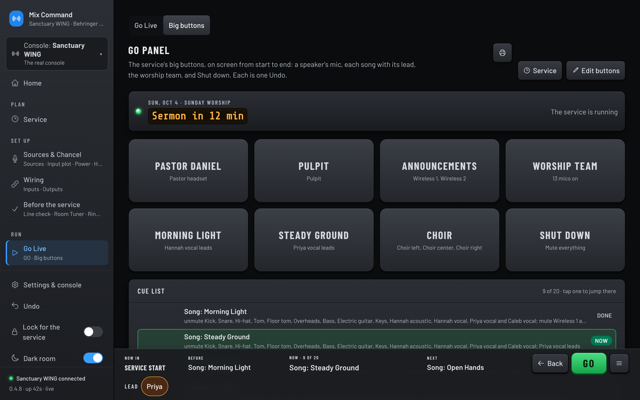
  6. The Go panel in Dark room: eight big buttons for Pastor Daniel, the pulpit, announcements, the worship team, two songs, the choir and Shut down, with the cue list and a GO bar showing Now: Steady Ground, Next: Open Hands.Full size

    GO runs the service

    Now, Next, one Undo.
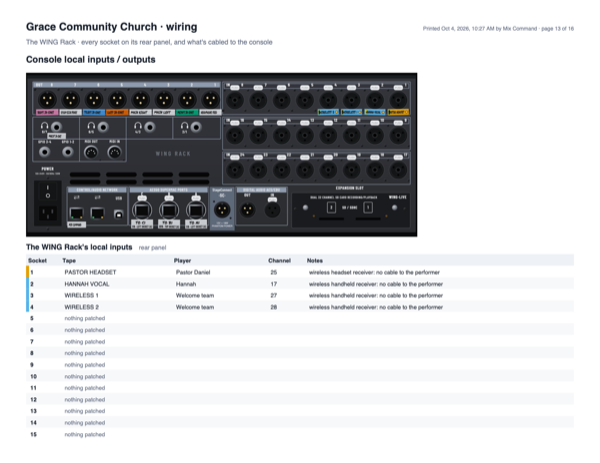
  7. A printed wiring page for Grace Community Church: a drawing of the WING Rack's rear panel and a table of its local inputs, with the pastor's headset, Hannah's vocal and two wireless handhelds on inputs 1 to 4.Full size

    Wiring on your own gear

    Every socket, in order.
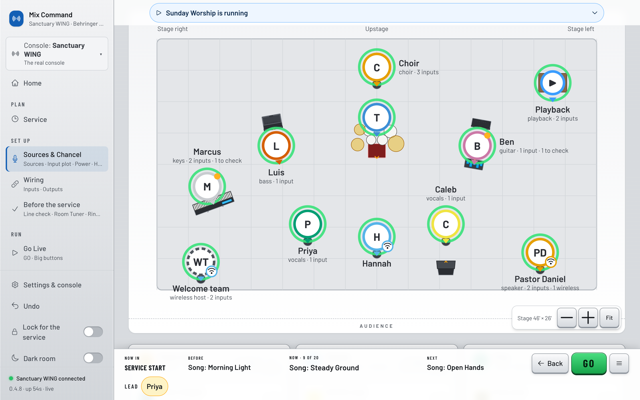
  8. The input plot: the choir and the drums upstage, Luis, Ben and Marcus with their amps and keys, Hannah, Priya and Caleb singing, and Pastor Daniel and the welcome team with wireless mics marked.Full size

    Who stands where

    Wireless mics marked.
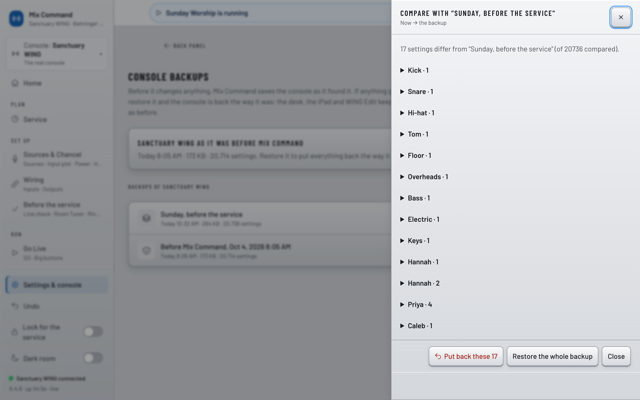
  9. A Compare dialog listing what differs from the backup named Sunday, before the service, channel by channel, with Put back these and Restore the whole backup buttons.Full size

    Backups you can open

    Put back just one part.
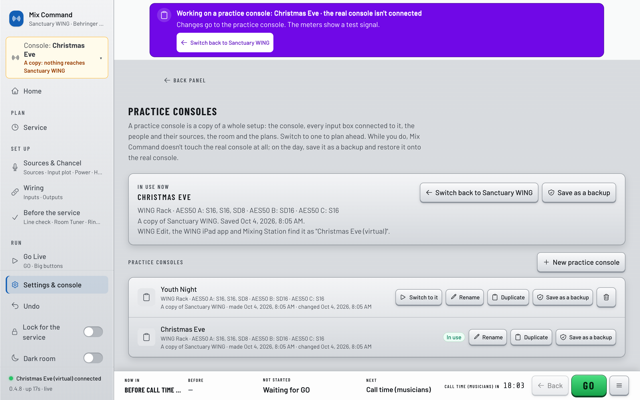
  10. The practice consoles page with Christmas Eve in use: a purple banner says the real console isn't connected, and a Youth Night copy is ready to switch to.Full size

    Plan Christmas Eve at home

    Load it when ready.

See it move.
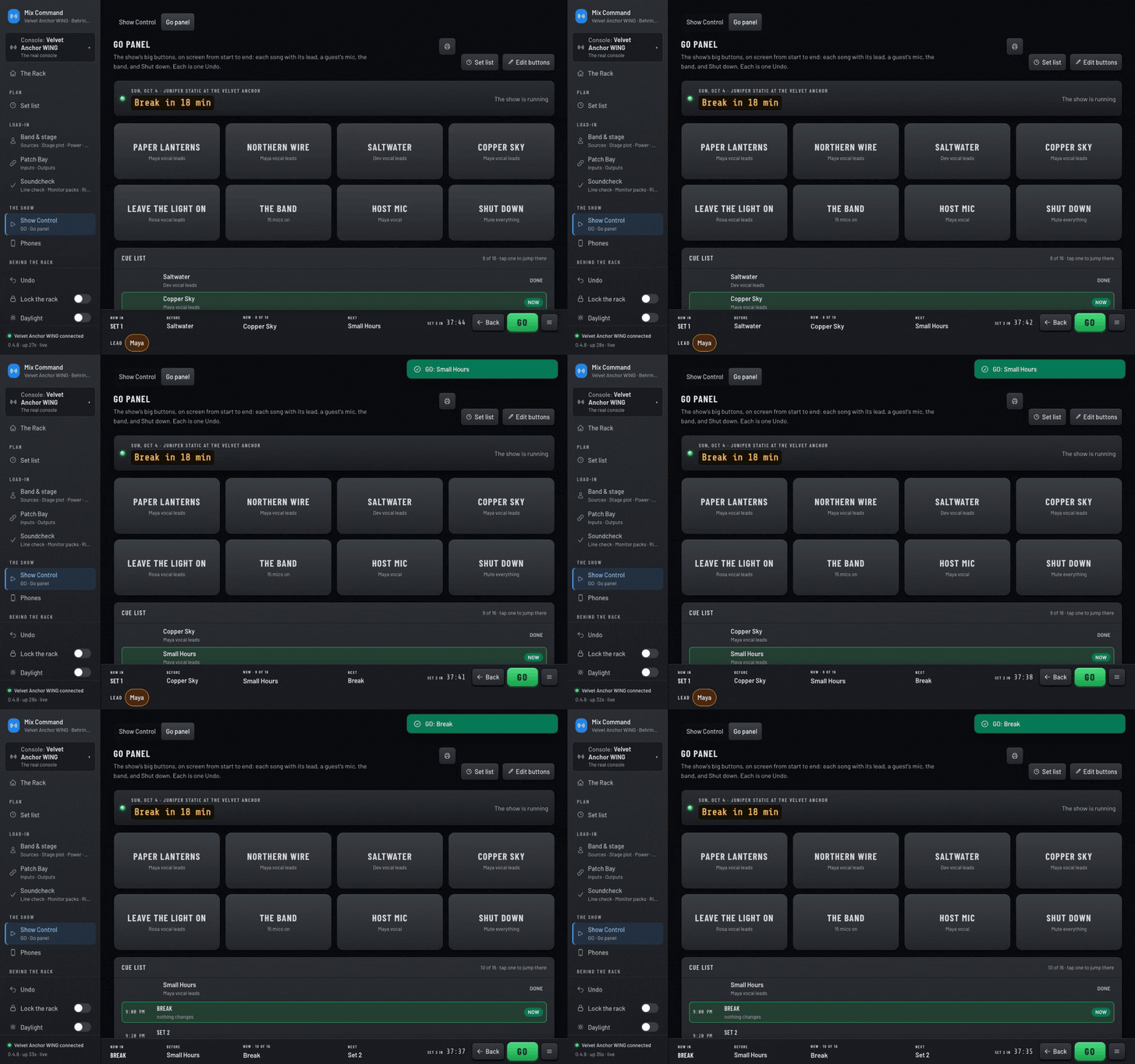
The Go panel while it runs, recorded in the dark rack look. GO is pressed twice: a note confirms the next cue with one undo, while Now and Next update in the bar along the bottom.Full size

Press GO

An in-ear mix on a phone, recorded in the dark rack look. More me is tapped three times: the other sliders step down 3 dB each time and an Undo bar appears.Full size

More me on a phone

Mix Command starting on a Mac: the splash panel reads the console with a progress meter, then shrinks into the menu bar icon.Full size

Start on a Mac

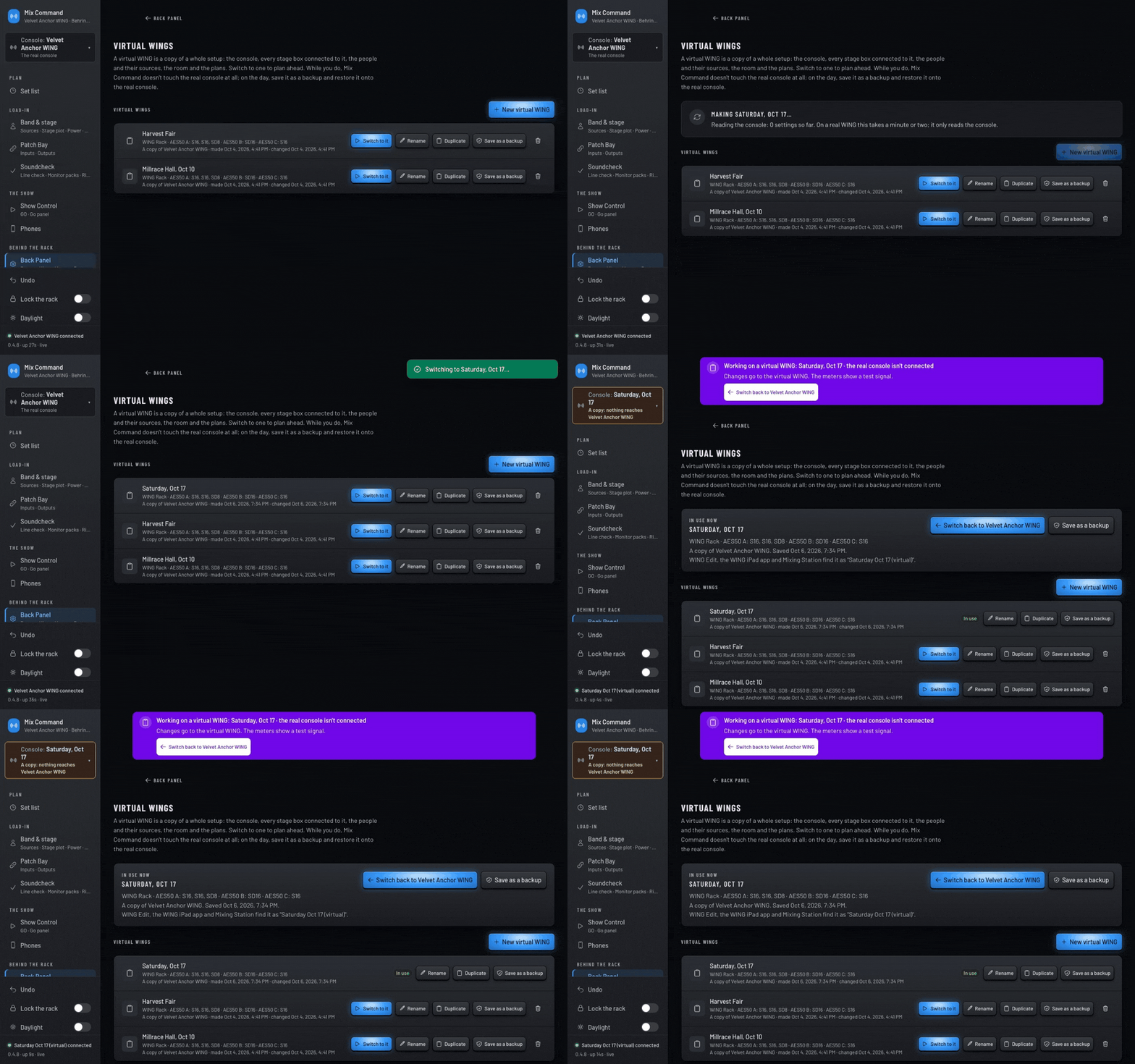
A new practice console is made from this one and named Saturday, Oct 17, then switched to. A purple banner confirms the real console isn't connected.Full size

Switch to a practice console

Try it on your own WING.

Free during the beta.

More