Mix Command BETA

Tour · Festival

A day of acts, on time.

Set times, changeovers, one phone.
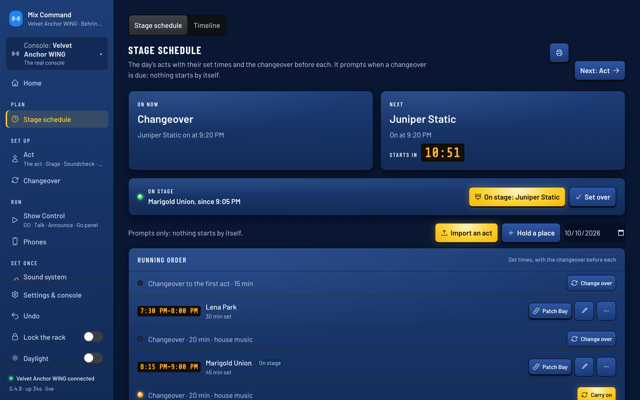
  1. The Stage schedule: a changeover on now, Juniper Static next at 9:20 PM with a countdown, and Marigold Union on stage.Full size

    Now and next

    A countdown everyone sees.
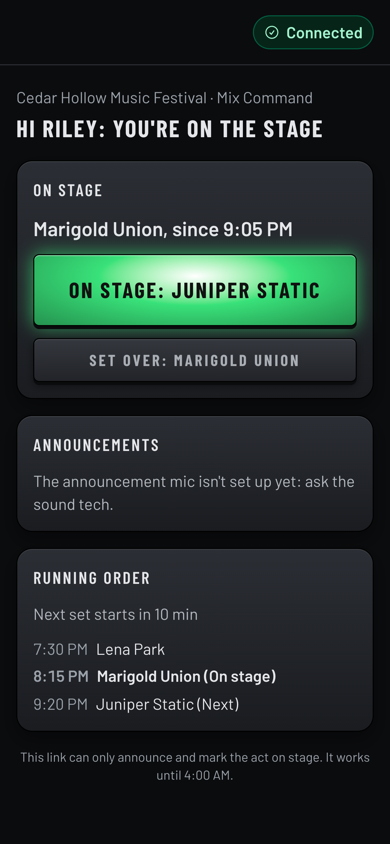
  2. A phone showing Riley's stage page: Marigold Union on stage since 9:05 PM, a big On stage: Juniper Static button, Set over, and the running order.Full size

    The stage manager's phone

    One big button: next act on.
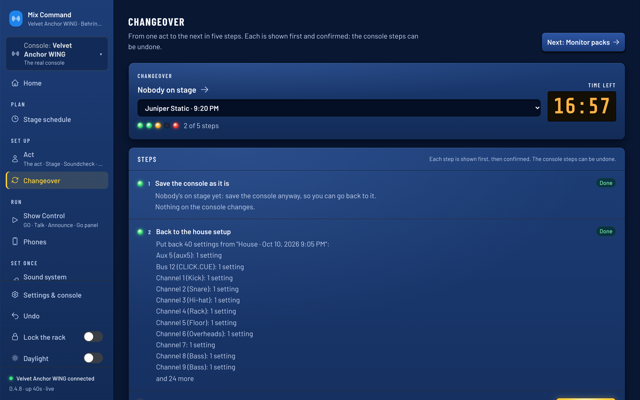
  3. The Changeover page with a countdown and five steps to the next act, two done.Full size

    Changeovers you can trust

    Five steps, each shown first.
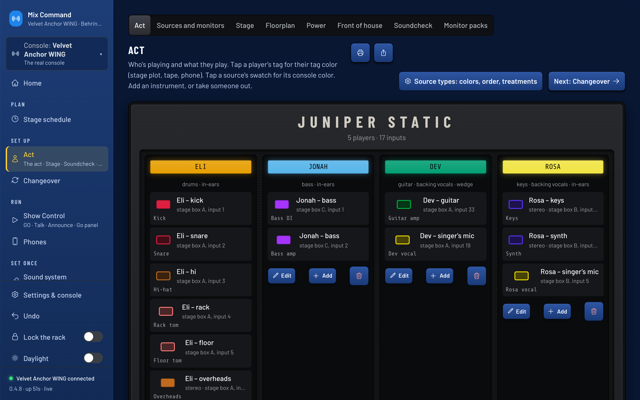
  4. The Act page for Juniper Static: each player's inputs on the stage's boxes.Full size

    Each act on your boxes

    Missing inputs flagged.
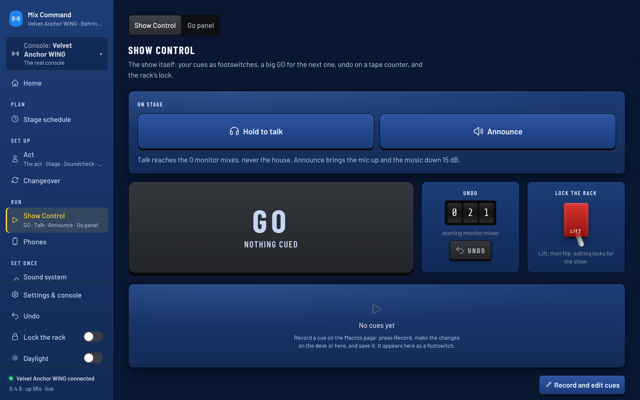
  5. Show Control with Hold to talk and Announce buttons, a big GO, the undo counter and the lock lever.Full size

    Talk and announce

    The music ducks for you.
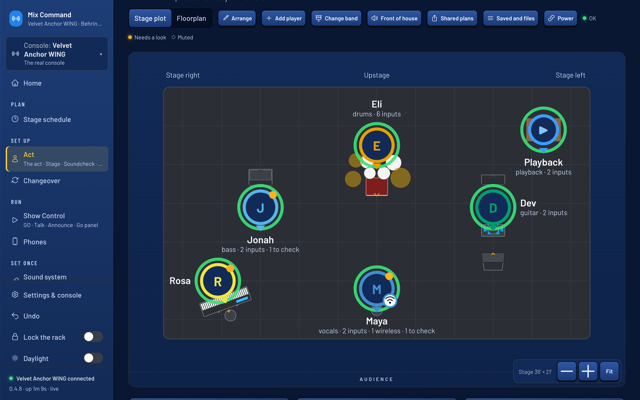
  6. The stage plot for the act on stage.Full size

    The act's plot on your stage

    Monitors and wireless marked.
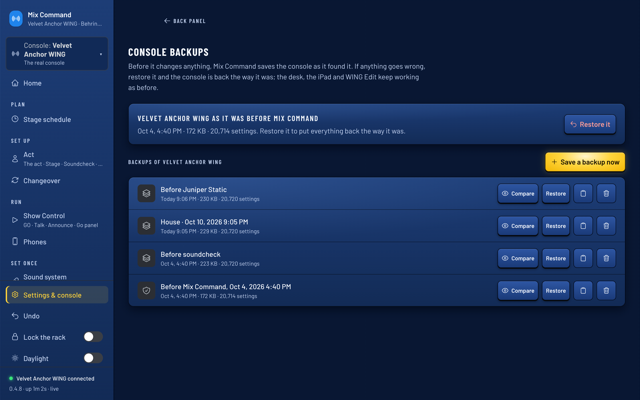
  7. Console backups taken before each act.Full size

    A backup before every act

    Back in one step.
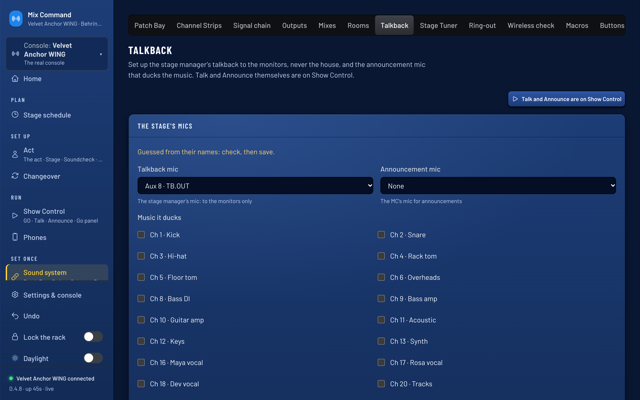
  8. The Talkback page: the talkback mic, the announcement mic, and the channels its announcements duck.Full size

    Talkback that stays on stage

    Monitors only, never the crowd.

See it move.
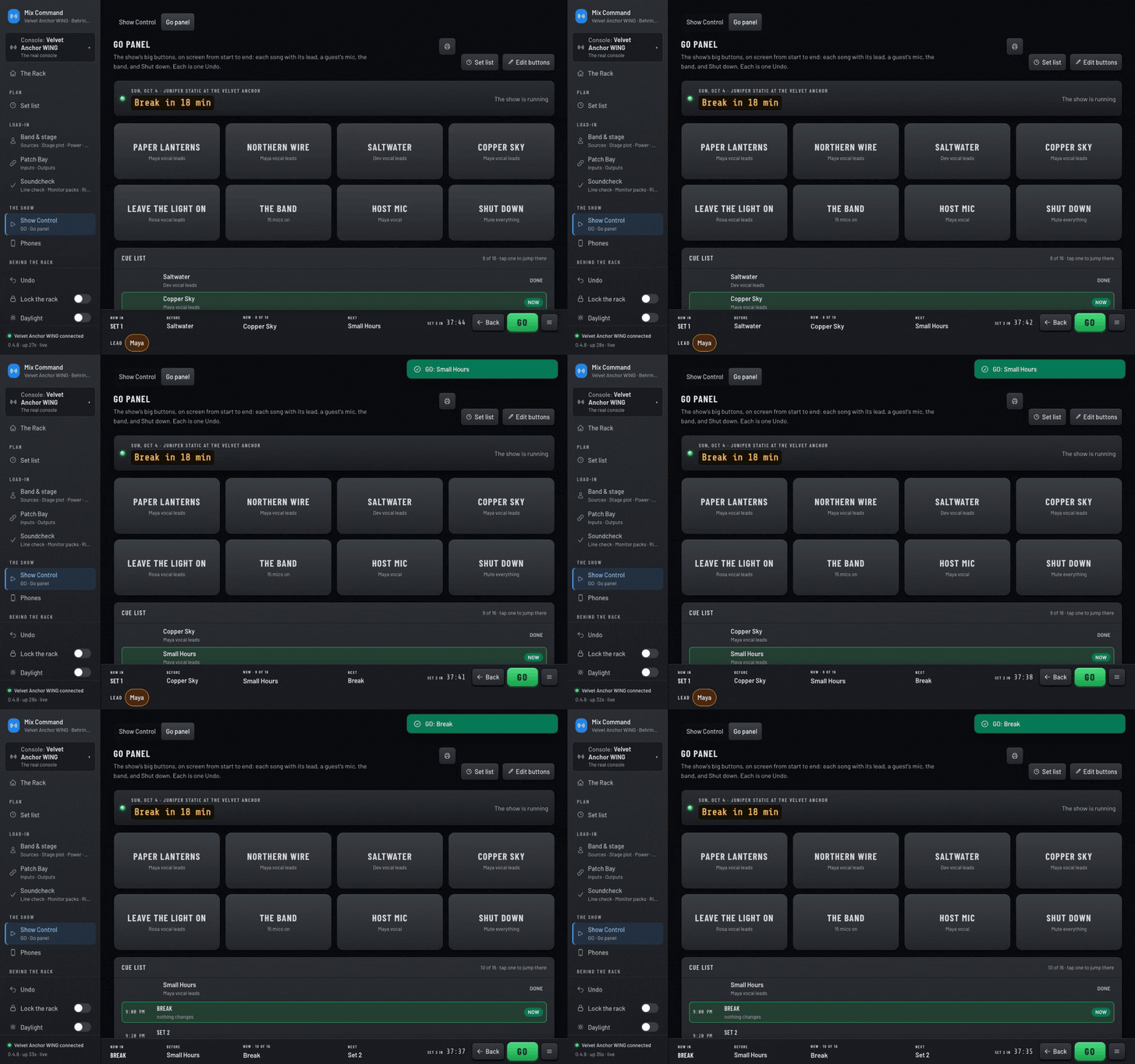
The Go panel during the show. GO is pressed twice: a note confirms Small Hours, then the break, while Now and Next update in the bar along the bottom.Full size

Press GO

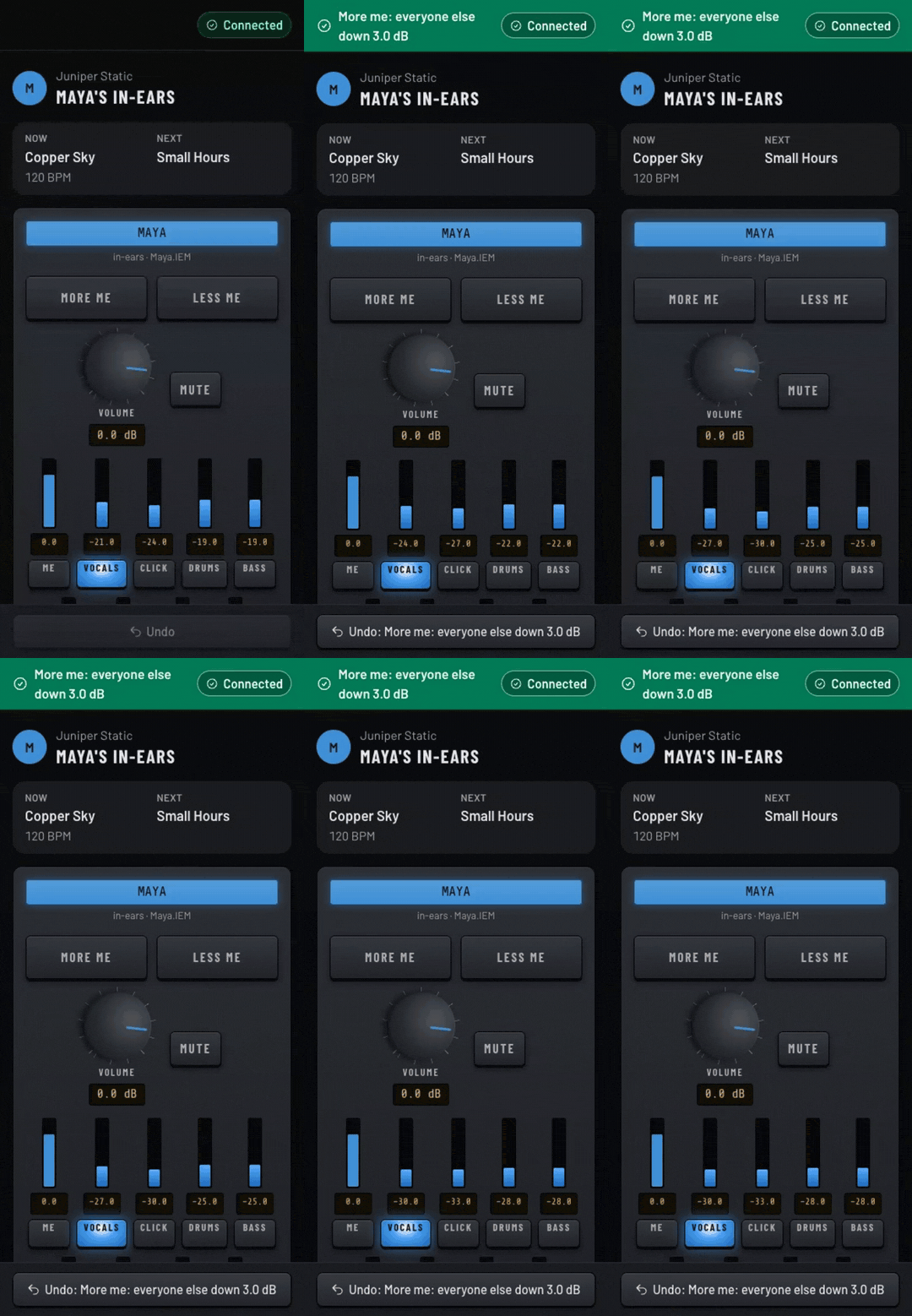
Maya's in-ear mix on a phone. More me is tapped three times: the other sliders step down 3 dB each time and an Undo bar appears.Full size

More me on a phone

Mix Command starting on a Mac: the splash panel reads the console with a progress meter, then shrinks into the menu bar icon.Full size

Start on a Mac

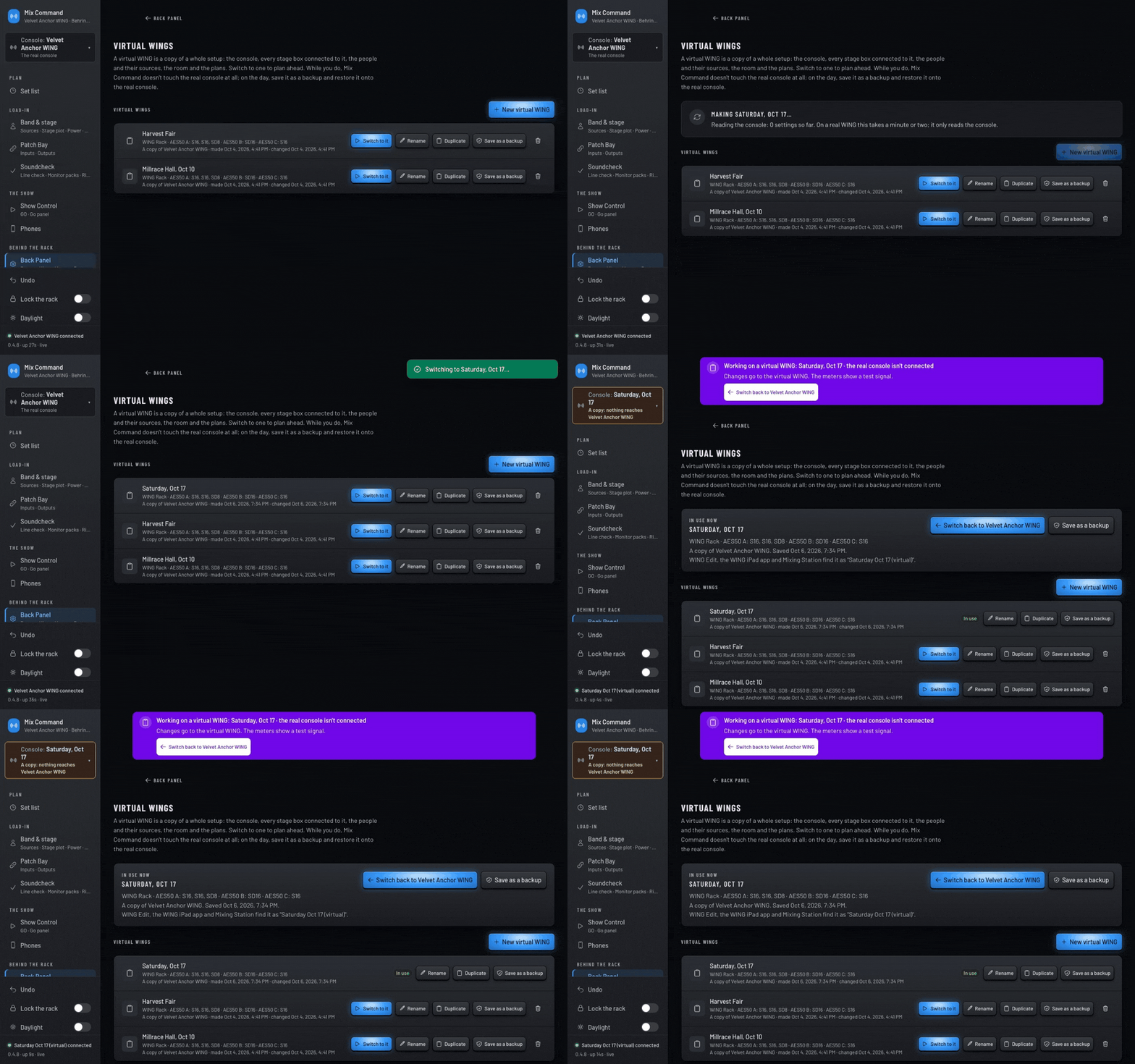
A new copy of the console is made and named Saturday, Oct 17, then switched to. A purple banner confirms the real console isn't connected.Full size

Switch to a virtual WING

Try it on your own WING.

Free during the beta.

More