Mix Command BETA

Tour · Special Event

Every word heard. No feedback.

Weddings, galas and conferences.
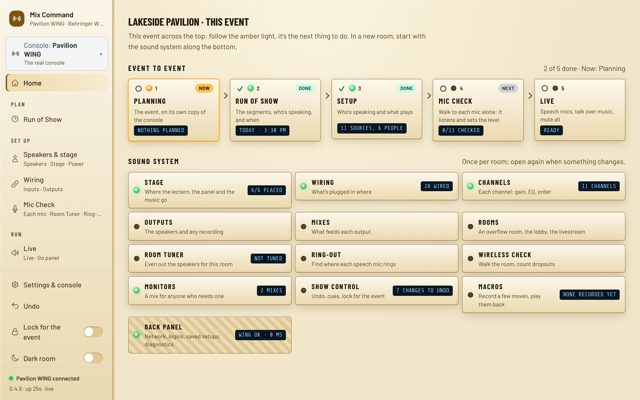
  1. The Special Event Home page for Lakeside Pavilion: the event's steps across the top and the sound system below.Full size

    The whole event at a glance

    The next step is lit.
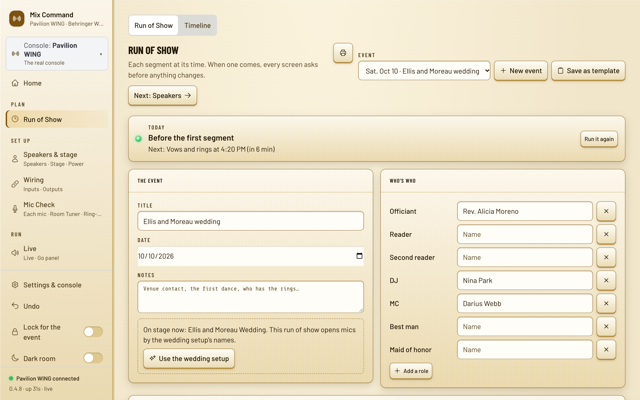
  2. The Run of Show for the Ellis and Moreau wedding: the date, who's who with the officiant, DJ and MC, and the next segment, Vows and rings, in 6 minutes.Full size

    Run of show from a template

    Wedding, conference or gala.
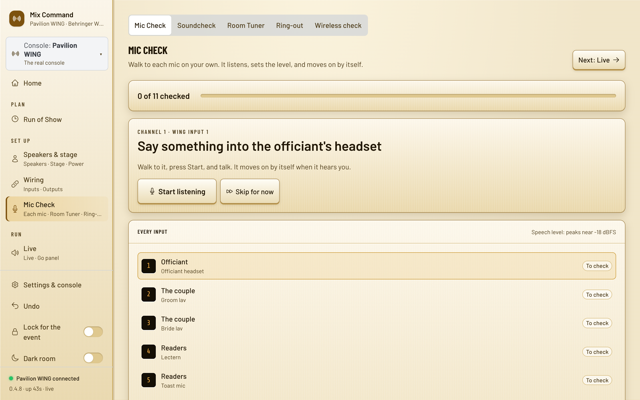
  3. Mic Check: Sing or talk into the officiant's mic, with Start listening and Skip for now, and the list of every input still to check.Full size

    Mic check, solo

    Talk. It sets the level.
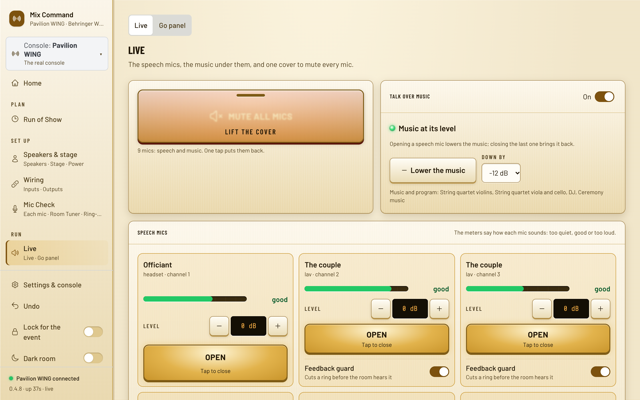
  4. The Live page: a covered Mute all mics button, Talk over music on with the music 12 dB down, and the readers' lectern mic open with a feedback guard.Full size

    Speech first, music under

    Music dips when someone talks.
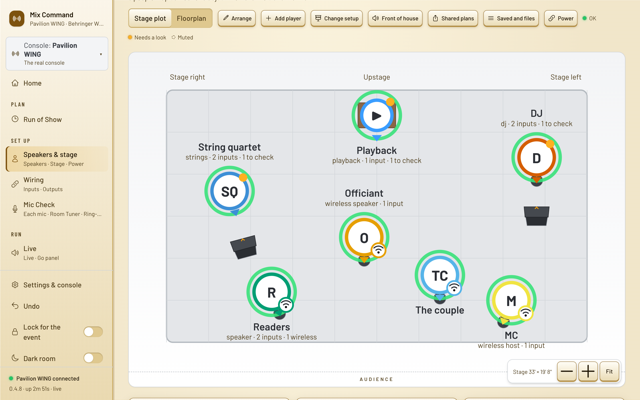
  5. The stage page for the wedding: the string quartet, the DJ, playback, the couple, the officiant and the readers placed on stage.Full size

    Who's where

    Wireless mics marked.

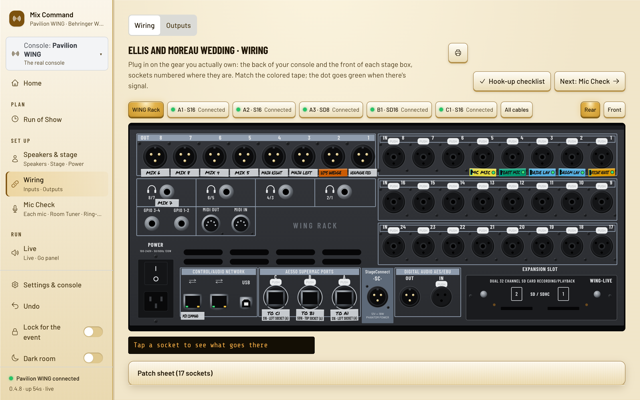
  6. The wiring page: the WING Rack's rear panel with colored tapes and tabs for each stage box.Full size

    Plug in by color

    Match the colors.

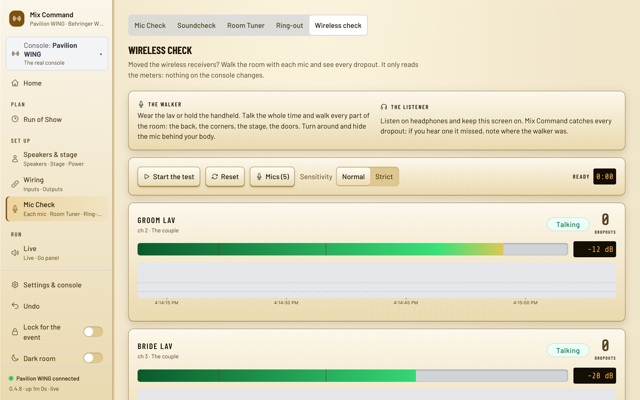
  7. Wireless check listening to the groom's and bride's lavs, each with a live level and a dropout count.Full size

    Walk the room first

    Every dropout counted.
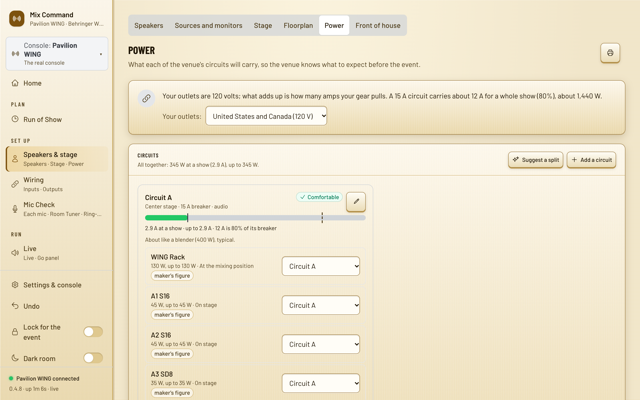
  8. The Power page: Circuit A is comfortable at 5.4 A, with the WING Rack and stage boxes on it.Full size

    Power you can plan

    Amps on each circuit.

See it move.
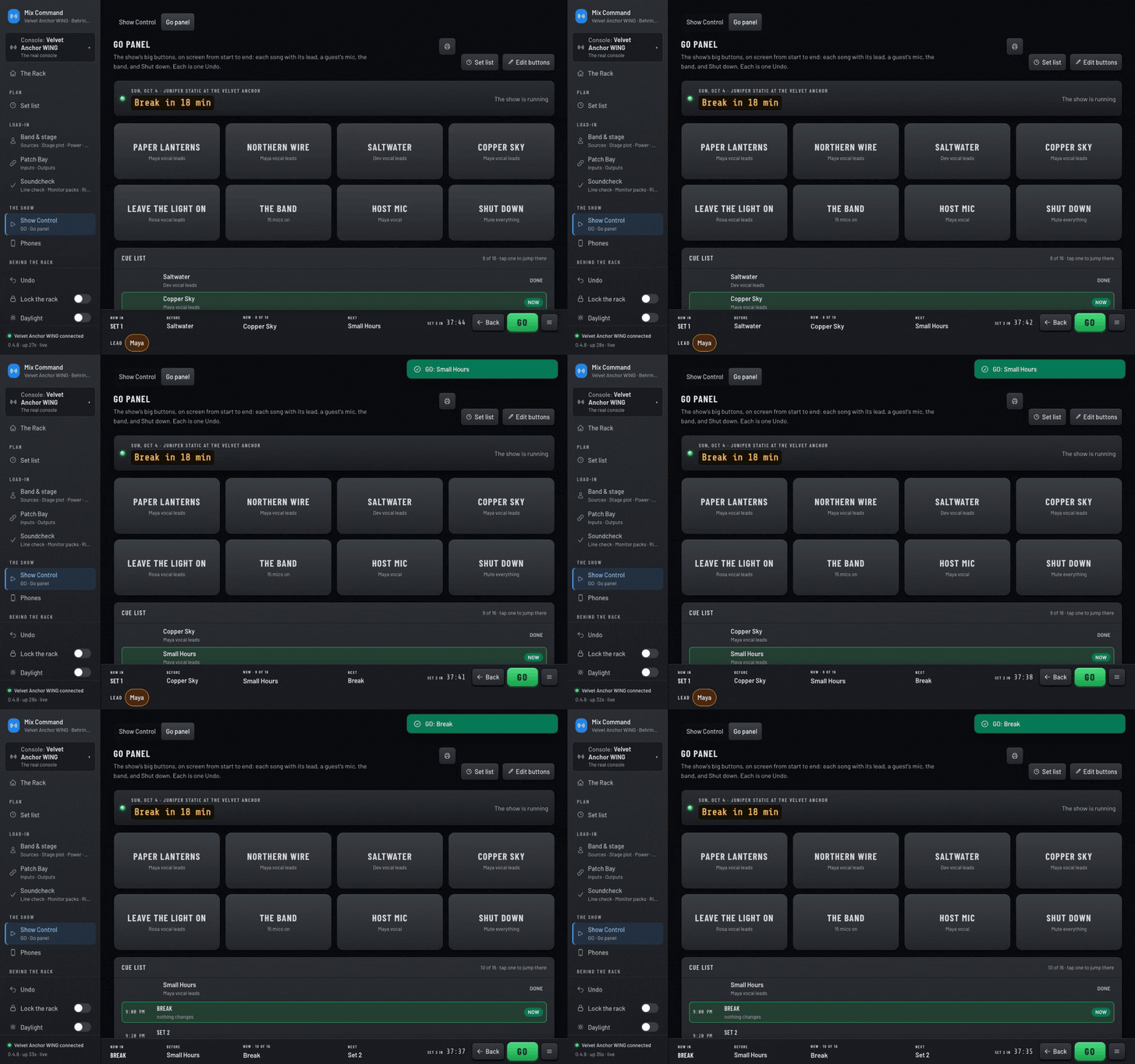
The Go panel while it runs, recorded in the dark rack look. GO is pressed twice: a note confirms the next cue with one undo, while Now and Next update in the bar along the bottom.Full size

Press GO

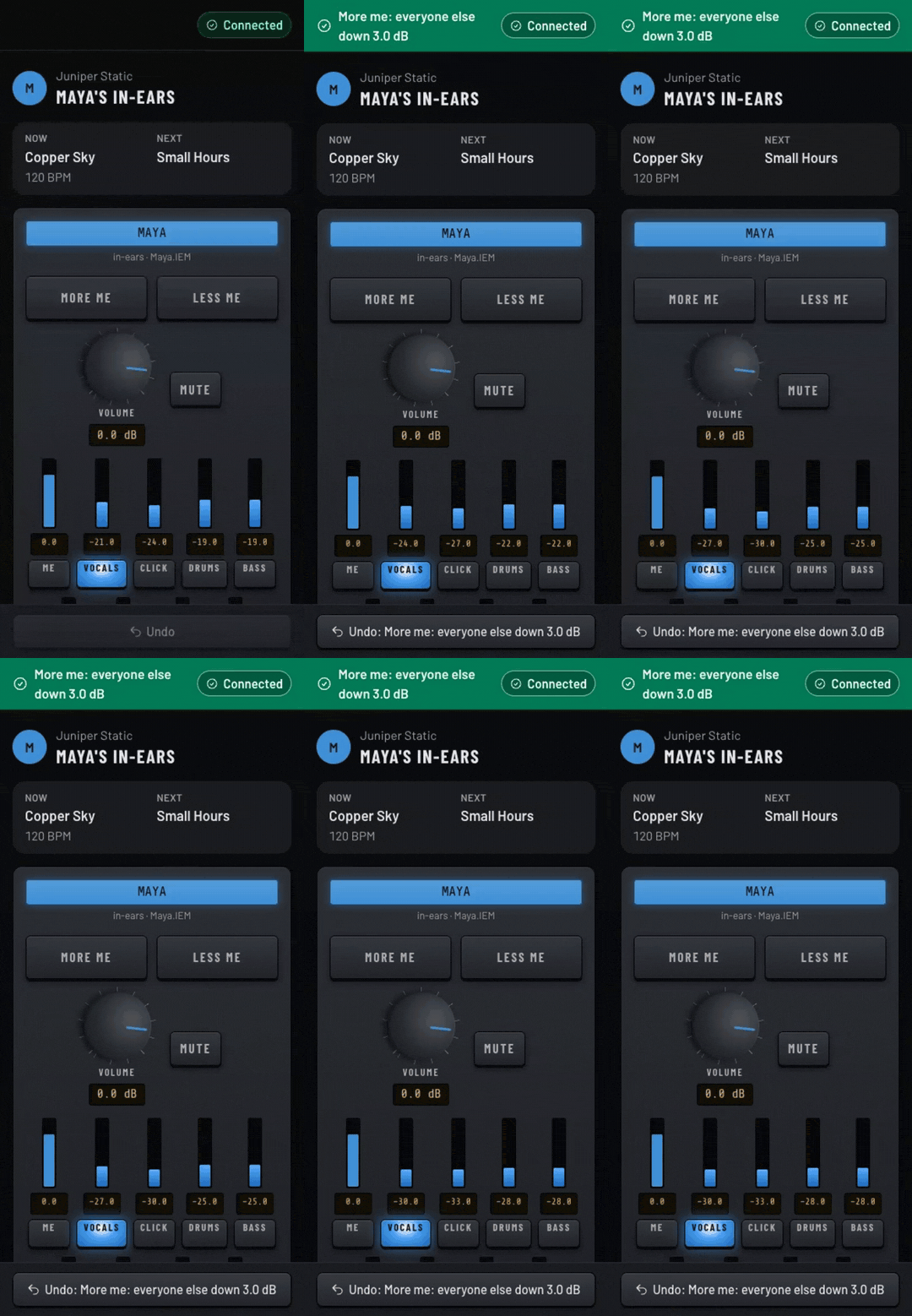
An in-ear mix on a phone, recorded in the dark rack look. More me is tapped three times: the other sliders step down 3 dB each time and an Undo bar appears.Full size

More me on a phone

Mix Command starting on a Mac: the splash panel reads the console with a progress meter, then shrinks into the menu bar icon.Full size

Start on a Mac

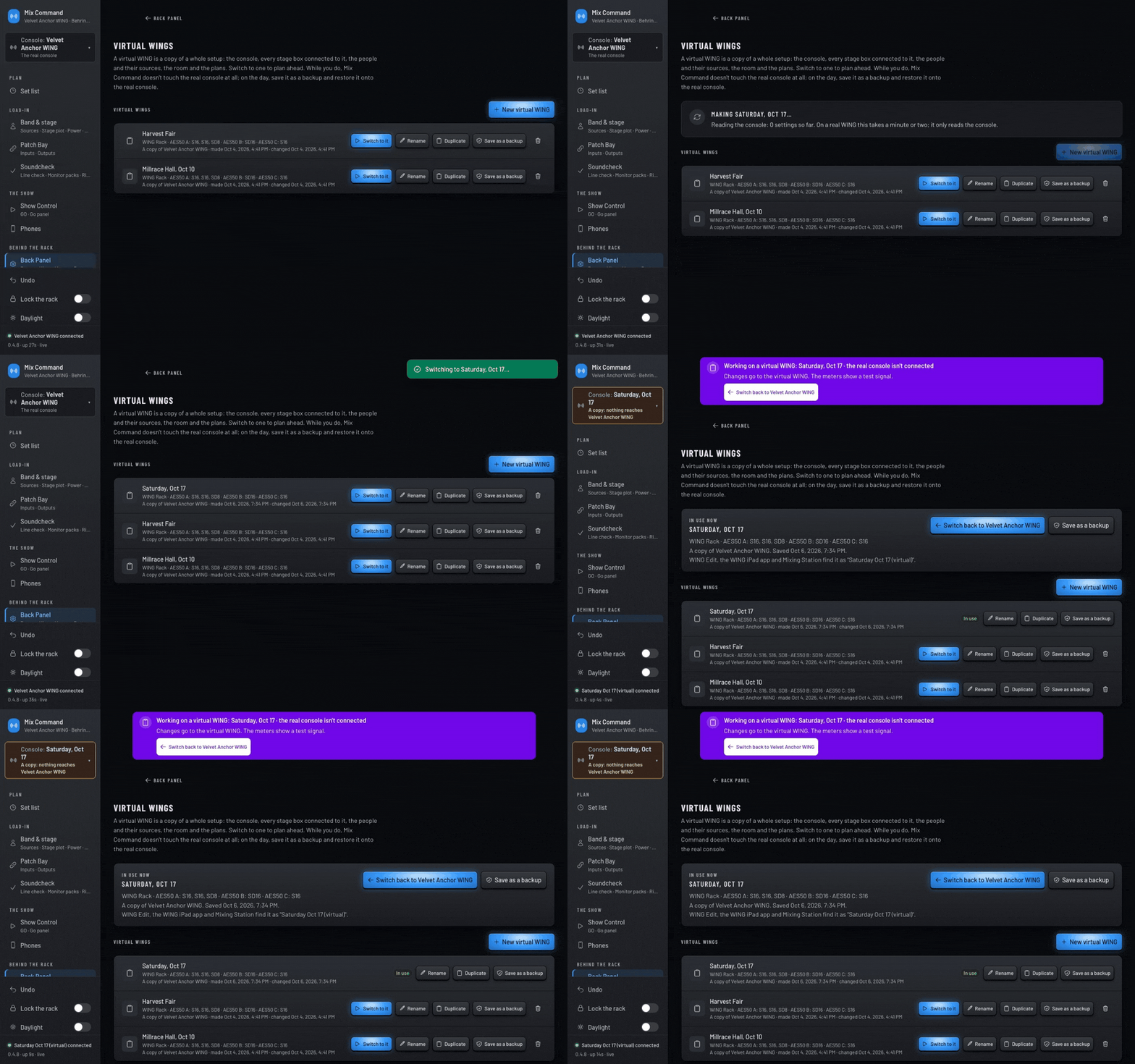
A new practice console is made from this one and named Saturday, Oct 17, then switched to. A purple banner confirms the real console isn't connected.Full size

Switch to a practice console

Try it on your own WING.

Free during the beta.

More